 Loading...

Sprunki Pepper’s Take
Sprunki Pepper's Take is pepper666's music-mixing mod with 26 characters, nine stage slots, and an optional horror mode.
Pepper gives the cast a scruffy, hand-drawn look. The sky is bright blue, the clouds are crooked, and even the grey figures waiting for a sound have different expressions. A purple horned character towers over its neighbours, Mr. Mystical Tree brings a whole canopy into the mix, and Simon the Hedgehog arrives with enormous yellow quills and hands. Their sizes vary so much that a few characters can already make the stage look crowded.
That cheerful backdrop does not survive horror mode. The sky gives way to dense red patterns, and the waiting figures become skeletal. Simon's bright yellow face gains glowing red eyes and a sharp grin, while the friendly tree becomes a towering black silhouette. The switch is optional and comes with a confirmation, so you can keep experimenting with the normal cast without triggering it by accident.
Content warning: Horror mode contains intense horror and grotesque imagery, alongside loud sounds and flashing visuals. Some scenes can be upsetting or nauseating. Avoid this mode if you are sensitive to disturbing content.
Political imagery notice: The third character icon from the right in the bottom row includes the Tibetan Snow Lion flag. Avoid activating this character if you do not wish to see this imagery.
How To Play Sprunki Pepper’s Take
- 1.Click the green flag to start. Read the content warning, then click to continue.
- 2.Drag a character icon from the bottom of the screen onto an empty grey figure to add its part to the mix.
- 3.Try different combinations from the 26-character roster. The stage has room for up to nine characters at once.
- 4.Use the reset control at the upper right when you want to start a new mix.
- 5.Horror mode is activated through the question-mark (?) button at the upper left, not the last character icon at the lower right. Only proceed if you are comfortable with intense horror: click ?, choose YEA!, and wait for the transition to finish.
- 6.Open Settings to adjust camera zoom, animations, and other effects. If playback feels slow, try reducing these effects. The green flag restarts the whole project.
Comments
Latest Games
Sprunke (Sprunki) Phase 3: The Angels of Heaven (Animated)
Sprunki Anti Shifted: False Armageddon (Beta Release)
Sprunki Phase 5 Definitive: The Fatal Lie (REUPLOAD)
Sprunki 9-Shifted (Niki and Footlong’s Take)
Sprunki 13-Shifted Niki’s Take
Sprunke (Sprunki) Hypershifted Pepper’s Take
Sprunki Reversed Phase 9 [OFFICIAL]
Sprunki Saja Boys Treatment
Sprunke (Sprunki) 18-Shifted Pepper’s Take

Animal Hospital Sprunki
Similar Games
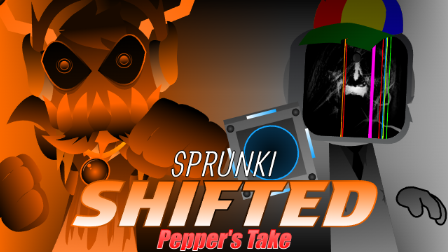
Sprunke (Sprunki) Shifted Pepper’s Take


Sprunke (Sprunki) 18-Shifted Pepper’s Take

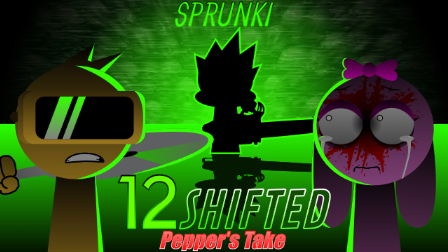
Sprunki 12-Shifted Pepper’s Take
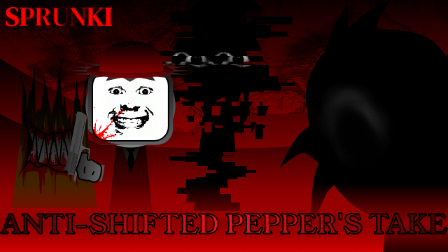
Sprunke (Sprunki) Anti-Shifted Pepper’s Take
Sprunke (Sprunki) Pepper’s Realm
Sprunke (Sprunki) Hypershifted Pepper’s Take
Sprunke (Sprunki) Infected Remastered
Sprunke (Sprunki) Betters And Loses Phase 4
Sprunke (Sprunki) Beat Attack
Sprunke (Sprunki) Surviving Trio Phase 3