 読み込み中...
Sprunki Anti Shifted: False Armageddon (Beta Release)
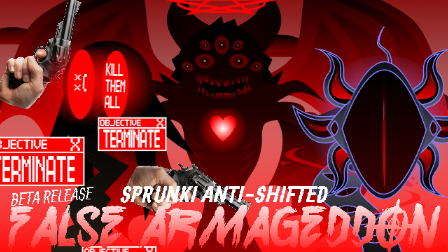
Sprunki Anti-Shifted: False Armageddon is a music-mixing mod by FootLongNachos and his team, set beneath a blood-red sky.
False Armageddon sets up the final confrontation in this Anti-Shifted story. A huge, spiked sun glows behind the buildings, while horned silhouettes wait across the stage. Even before you add any sounds, the red-and-black scenery gives the whole lineup a threatening look.
The characters get stranger as you bring them in. A dark red, dragon-like performer spreads ragged wings, while a huge tree-like creature has a swollen red canopy and a tooth-filled mouth down its trunk. One of the smaller figures resembles a decaying cat, with long claws and tiny red pupils inside enormous black eye sockets. Leave a few spaces empty and these details are much easier to spot.
Some performers take up far more room than others. An enormous mechanical figure towers over the lineup, with round, speaker-like structures beside its head. Adding it changes the balance of the whole scene, especially alongside the smaller, damaged-looking characters. Trying different combinations gives you different sounds to work with and a different-looking cast each time.
This is the beta release. The music-mixing section is playable, but the Cutscene option is currently locked. FootLongNachos has said that unfinished content is planned for a later update, so the full story presentation is not yet complete.
Contains horror imagery and graphic character designs.
How To Play Sprunki Anti Shifted: False Armageddon (Beta Release)
- 1.Wait for the game to load, then click PLAY on the main menu.
- 2.Drag a sound icon from the bottom of the screen onto an empty character on the stage.
- 3.Add more characters to combine their sounds and animations. Try a few at a time to hear how the parts fit together.
- 4.Click the circular arrow in the upper-right corner to clear the stage and start a new mix.
Comments
Latest Games
Sprunki Phase 5 Definitive: The Fatal Lie (REUPLOAD)
Sprunki 9-Shifted (Niki and Footlong’s Take)
Sprunki 13-Shifted Niki’s Take
Sprunke (Sprunki) Hypershifted Pepper’s Take
![Sprunki Reversed Phase 9 [OFFICIAL]](https://sprunkigame.io/wp-content/uploads/thumbs/custom/R/Reversed-Phase-9-OFFICIAL-300x315.png)
Sprunki Reversed Phase 9 [OFFICIAL]
Sprunki Saja Boys Treatment
Sprunke (Sprunki) 18-Shifted Pepper’s Take

Animal Hospital Sprunki
Sprunke (Sprunki) Shifted Pepper’s Take
Sprunke (Sprunki): Hypershifted Phase 2 Official Remaster
Similar Games
Sprunki 9-Shifted (Niki and Footlong’s Take)

Sprunki Anti Shifted: Phase 5


Sprunki Anti-Shifted Phase 5 (uc’s take)
Sprunki 13-Shifted Niki’s Take
Sprunke (Sprunki) 18-Shifted Pepper’s Take
Sprunke (Sprunki) Shifted Pepper’s Take
Sprunki 12-Shifted Pepper’s Take
Sprunke (Sprunki) Bi Shifted Phase 4
Sprunki Hyper Shifted Phase 3 Oren’s Massacre
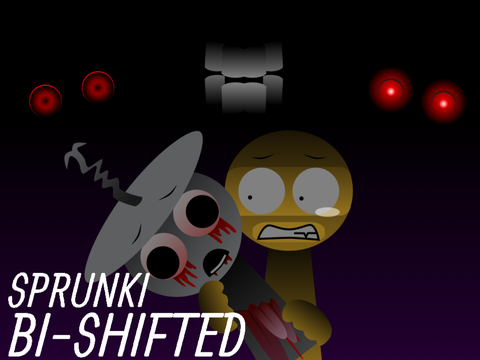
Sprunke (Sprunki) Bi-Shifted

![Sprunki Pyramixed V0.9 [update] but with My OCS](https://sprunkigame.io/wp-content/uploads/thumbs/custom/S/Sprunki-Pyramixed-V0.9-update-but-with-My-OCS-150x113.png)
![ParaSprunki [UPDATE 15.0 PART 2]](https://sprunkigame.io/wp-content/uploads/thumbs/custom/P/ParaSprunki-UPDATE-15.0-PART-2-150x112.png)